Tabulate To RTF Table Tool
This Add-In enables you to generate an editable RTF file containing the table(s) from a report. This Add-In is typically shipped with JMP Clinical and can be found in the Add-In folder (typically located at C:\ProgramData\JMP\JMPClinical\**\Clinical\Addins, where ** refers to the JMPC version number). Refer to the Manage JMP Add-Ins page for instructions on managing JMP Add-Ins. You can also download this Add-In from the JMP Marketplace to the Add-In folder.
Note: This tool requires a local SAS installation and is for Windows only.
| 8 | To access this tool, click  on the JMP Clinical Main Window to open the JMP Home Window. on the JMP Clinical Main Window to open the JMP Home Window. |
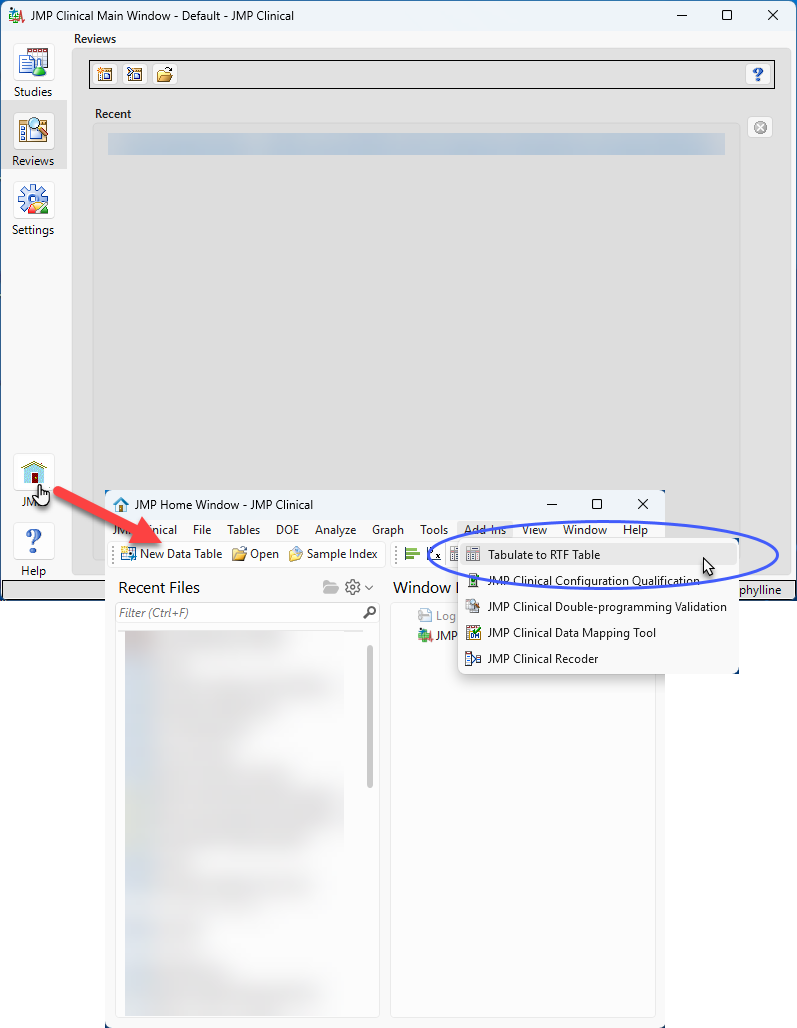
| 8 | Click Add-Ins > Tabulate to RTF Table to open the tool. |
Note: If this is the first time you are opening the Add-In, you will be prompted to register it.
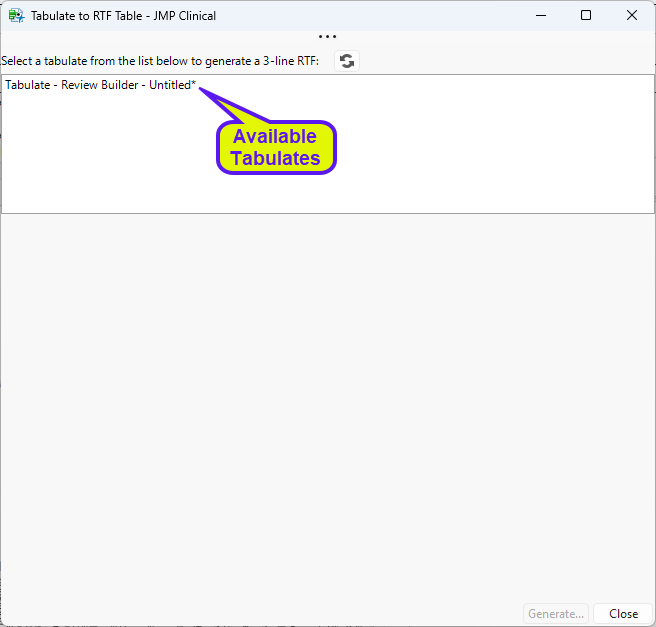
The tool contains a list of the tabulates from your current JMP Clinical session, a Preview window, and several action buttons.
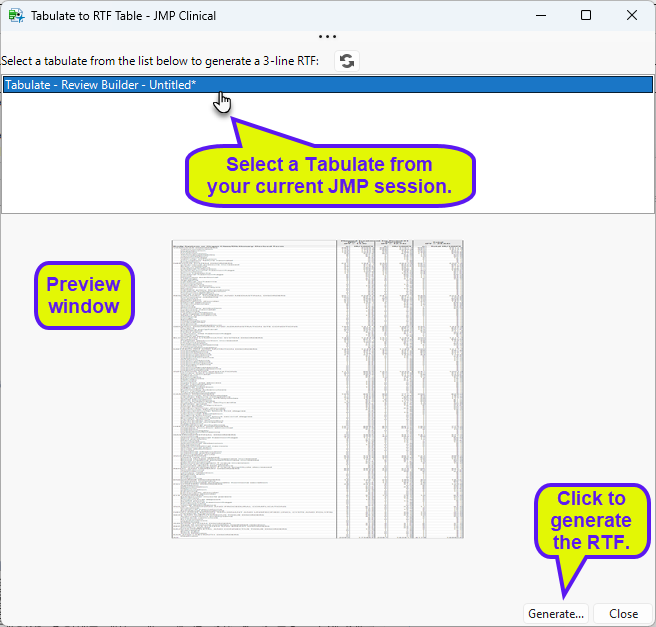
Action Buttons
| • | Click  to refresh the list of tabulates. to refresh the list of tabulates. |
| • | Click to generate the RTF file. |
| • | Click to close the tool. |